
How I Built An Interactive Business Dashboard With Claude (No Code)
How to build an interactive business dashboard with Claude without code: tasks, content, numbers and to-dos on one page that you open every morning.
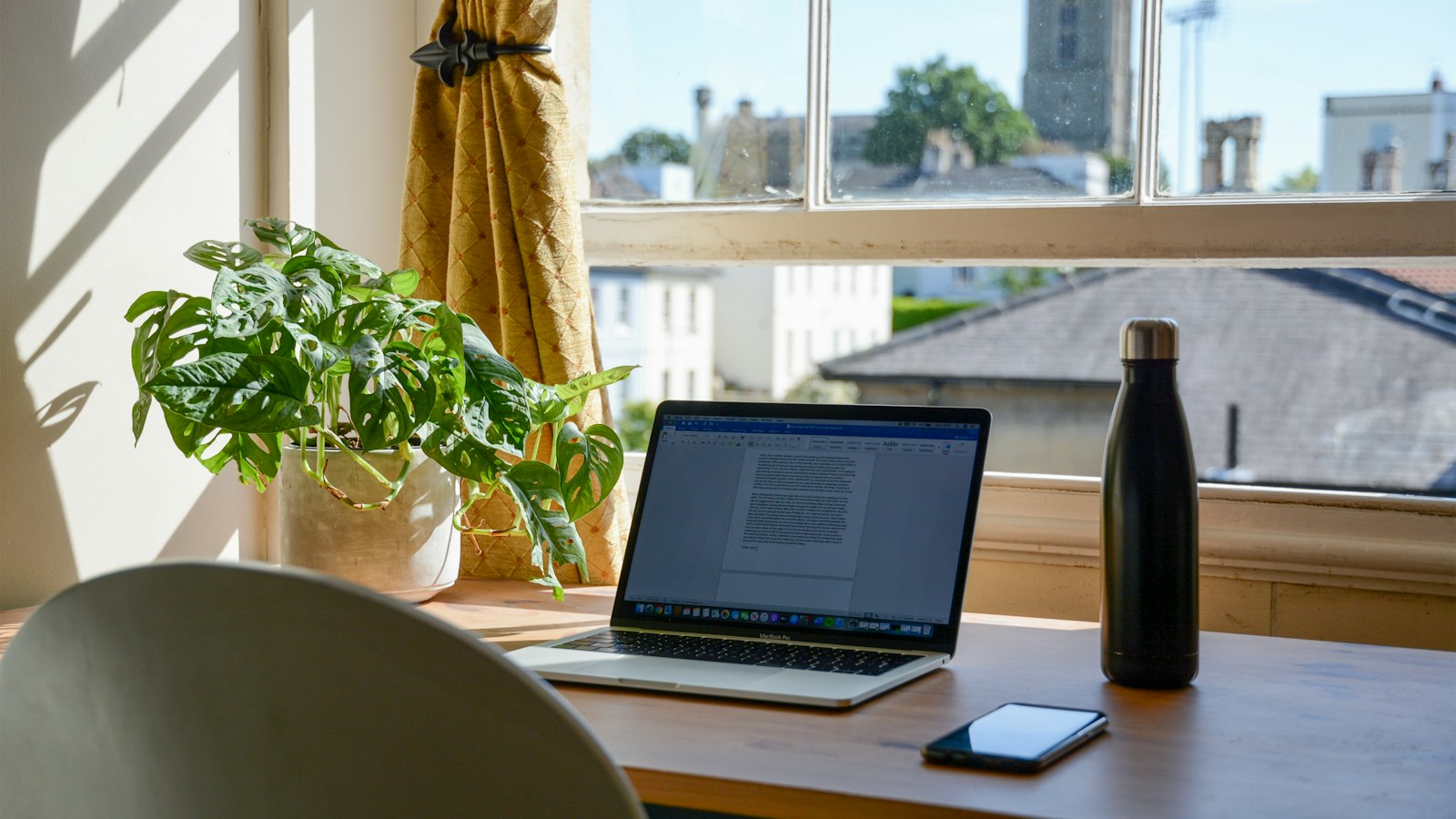
Short answer: you can build an interactive dashboard with Claude by describing what you want to see on one page, asking for it as an artifact, and connecting it to where your data lives (like Notion). No code from you. Mine shows my day, my content pipeline and my tasks, and ticking something off updates Notion.
I’ve built 2 that I use every day, and I’ve got ADHD, so if it’s not in front of me it doesn’t exist. These fix that.
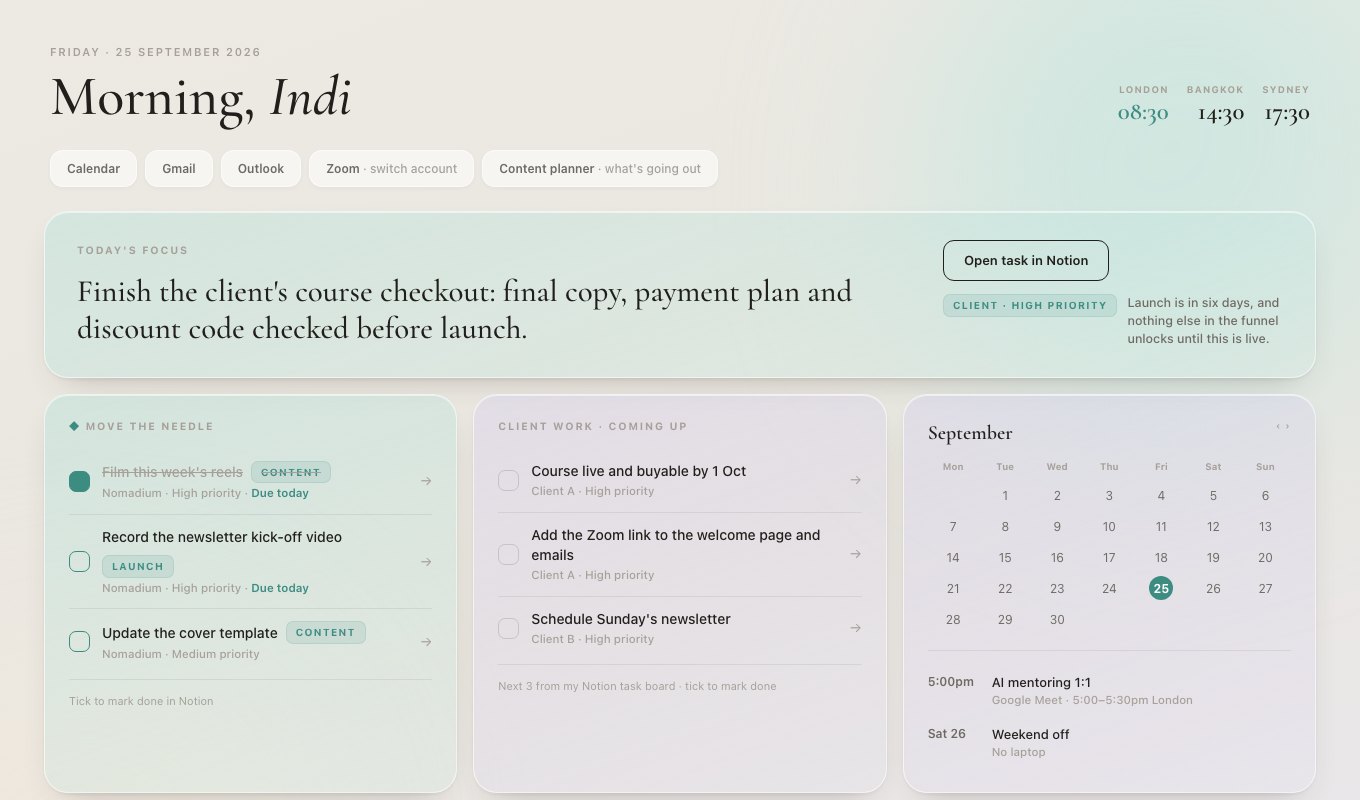
Dashboard 1: my Clear Morning board
A calm, one-screen board I open every morning. Today’s tasks, my calendar and my inbox at a glance, plus quick links to everything else. When I tick a task, it’s marked done in my Notion board. No switching apps.
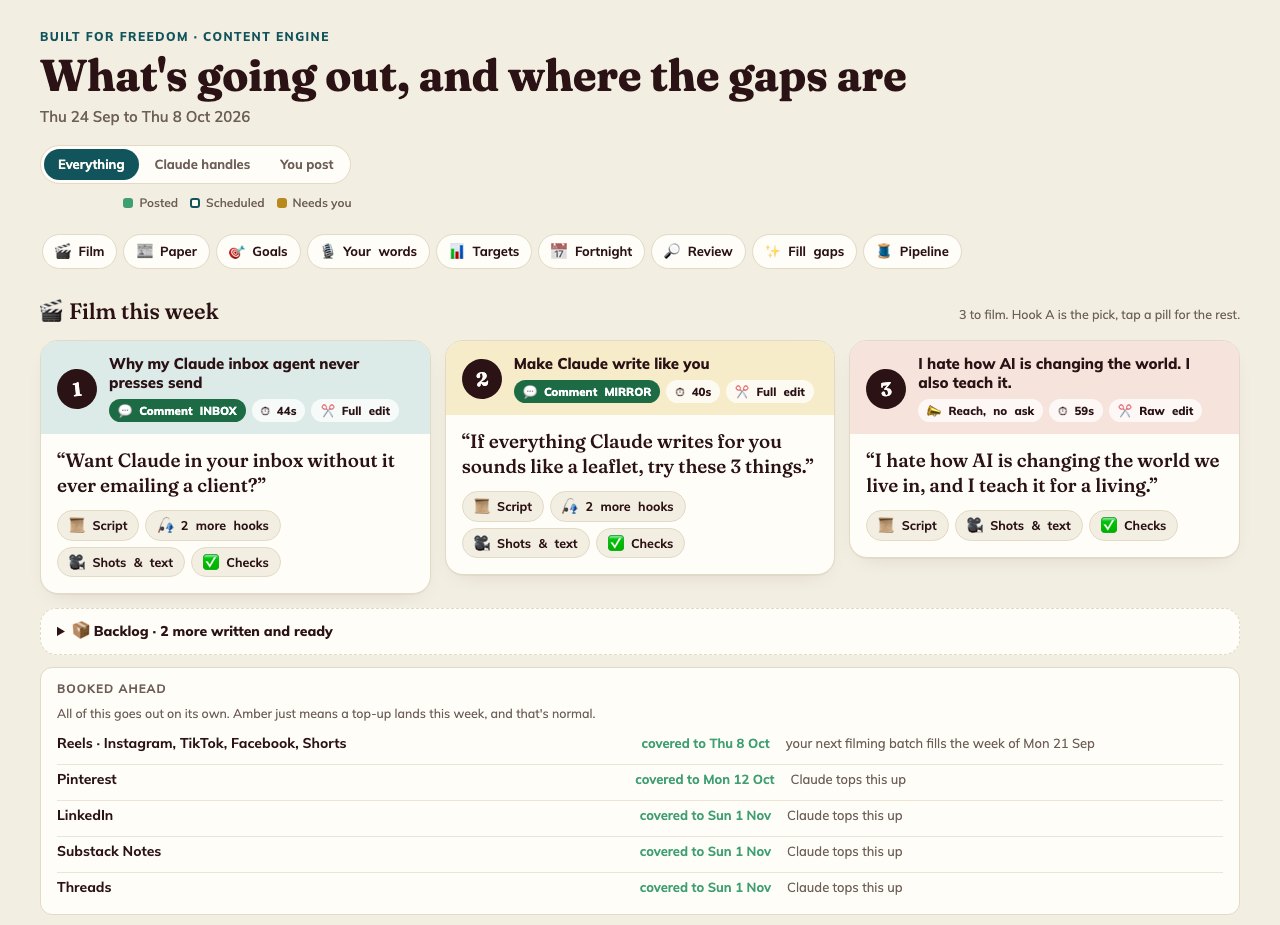
Dashboard 2: my content planner
Every platform I post on, what’s scheduled, what’s posted and where the gaps are. The top section tells me exactly what to film today, with the script ready. It even has buttons that ask Claude to draft more ideas when a week’s looking thin.
How to build yours
1. Write down what you check every morning. Every app, every tab. That’s your dashboard.
2. Ask Claude for it as an artifact.
Build me a one-page business dashboard as an interactive HTML artifact.
Sections: [today's tasks], [my pipeline], [key numbers], [quick links].
Calm design, easy to scan in 30 seconds, works on my phone.
Use this sample data for now: [paste a few real examples].
3. Connect it to your real data. Tasks in Notion, numbers from your accounts, content from your planner. Connecting Notion to Claude is the easiest place to start.
4. Change one thing a week. The first version will be about 70% right. Use it for a week, then tell Claude what annoyed you.
Lessons from building mine
- Calm beats clever. I asked for warning colours on anything “behind”, then took them out. They made me feel behind when I wasn’t.
- Put it where you already look. Mine are pinned and open as proper apps on my Mac. A dashboard you have to remember to open doesn’t get opened.
- One screen. If you have to scroll to find today, it’s too much.
Want a dashboard built around how your business runs? That’s the kind of thing my 1:1 AI consultancy builds. Or start small with the 7:30am inbox brief.
Quick answers
Can Claude build a dashboard without code?
Yes. Describe what you want to see and where the data lives, and Claude writes the dashboard for you. You don't need to write any code yourself.
What should a small business dashboard show?
Only what you act on: today's priorities, money in and out, what's scheduled, and anything overdue. If you'd never click it, leave it off.
Where do I keep a Claude dashboard?
As a Claude artifact you can open from a link, or as a page you pin somewhere you already look every day. If it's out of sight, you won't use it.